 SongPort
SongPort for iPhone
BetaShare a song. Send one link.
SongPort sits in the share sheet of your music app. Tap it, and the link is on your clipboard. Your friends open it on the streaming platform they use.
Free. The beta runs on TestFlight, Apple's app for test versions.


How it works
Three taps, from your music app
- 1
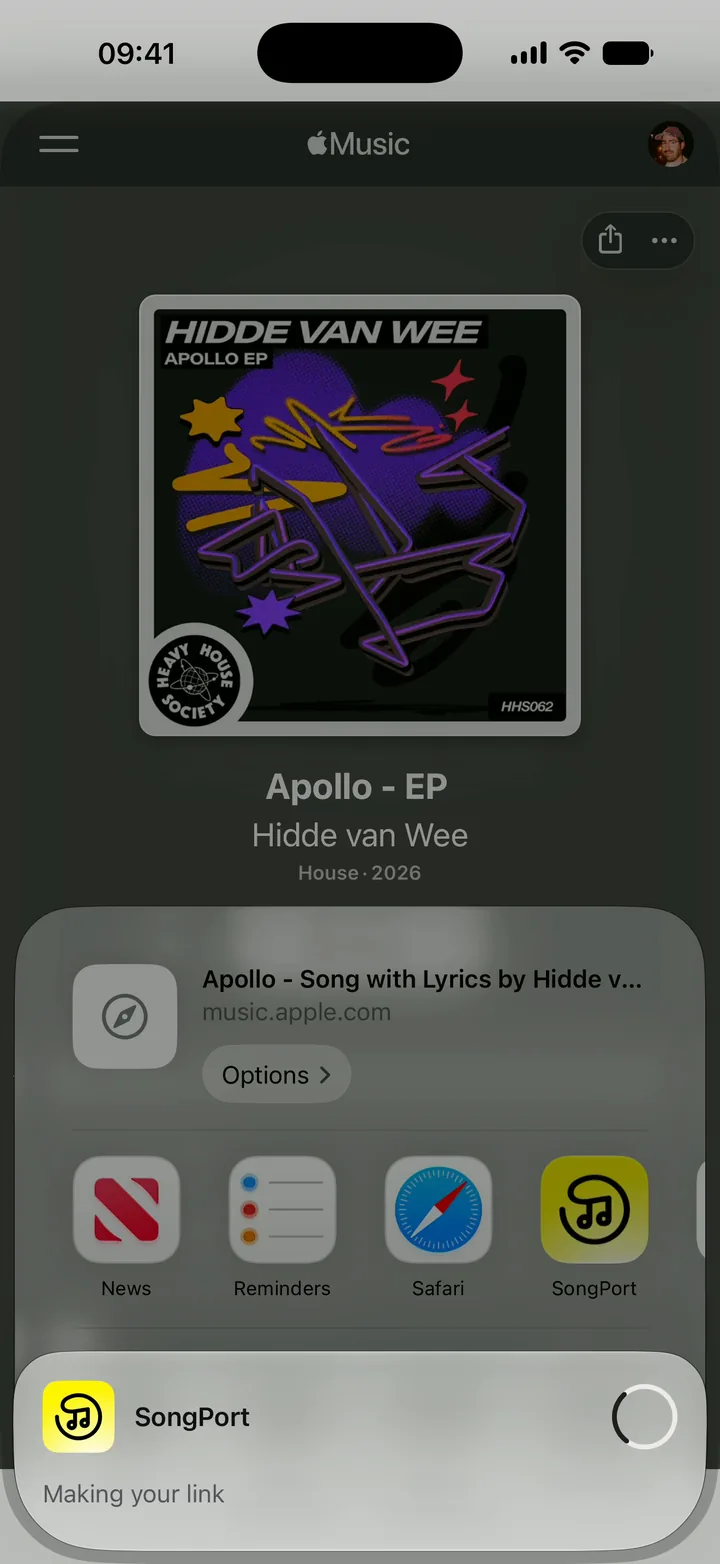
Tap Share on a song
In Spotify, Apple Music, YouTube Music, Deezer, Tidal or SoundCloud. Then tap SongPort in the row of apps.
- 2
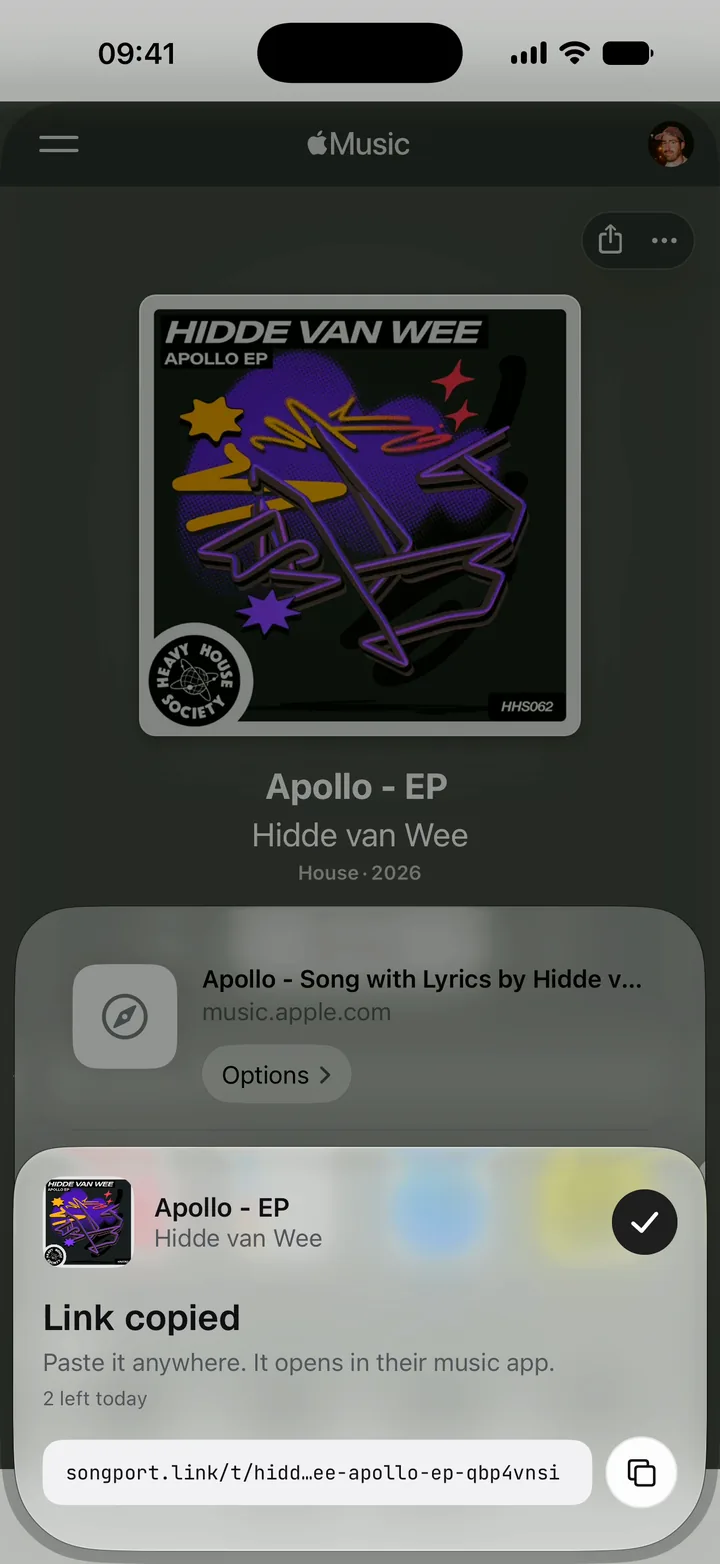
The link is copied
A small card shows the link over the app you are in. You never leave your music app.
- 3
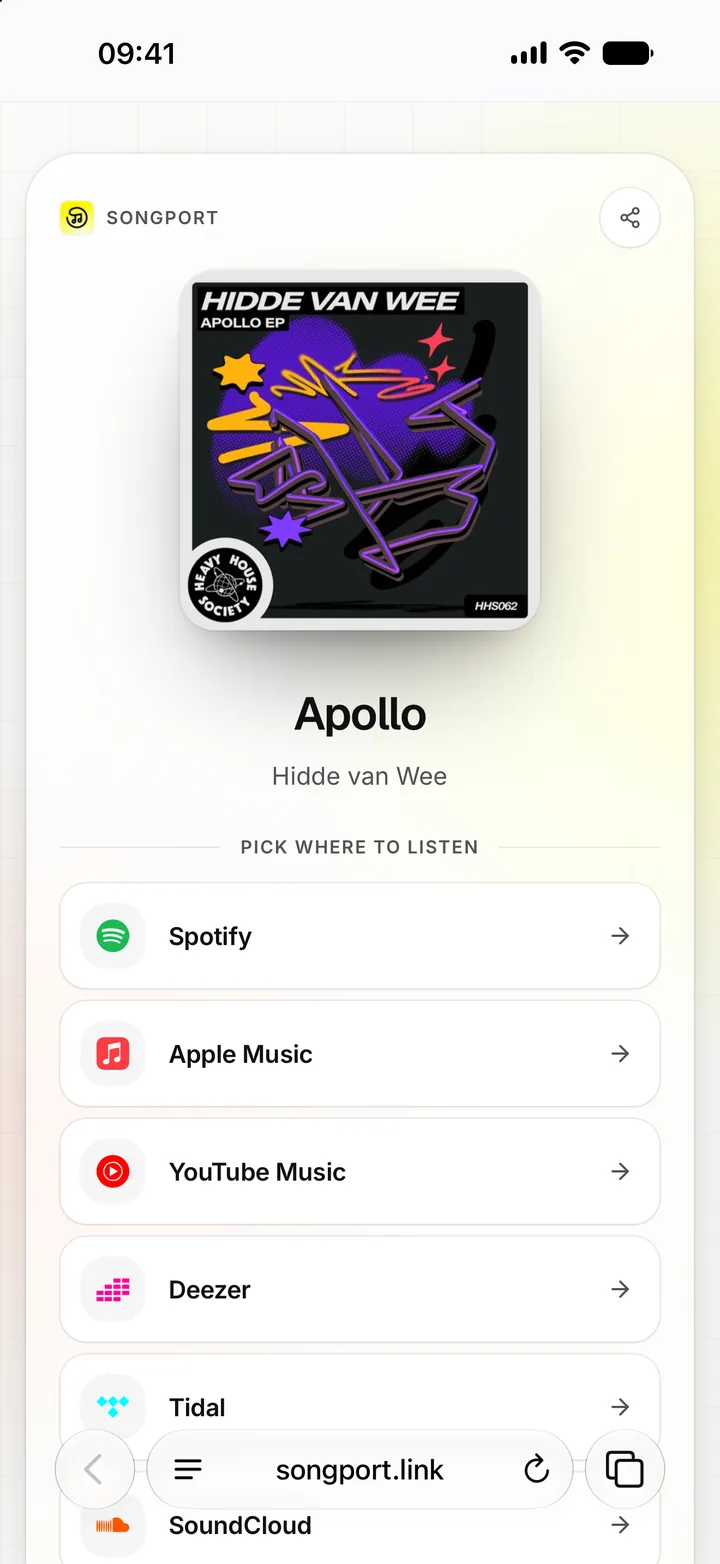
Friends pick their platform
Paste the link in a chat. It opens a page with a button for each streaming platform.
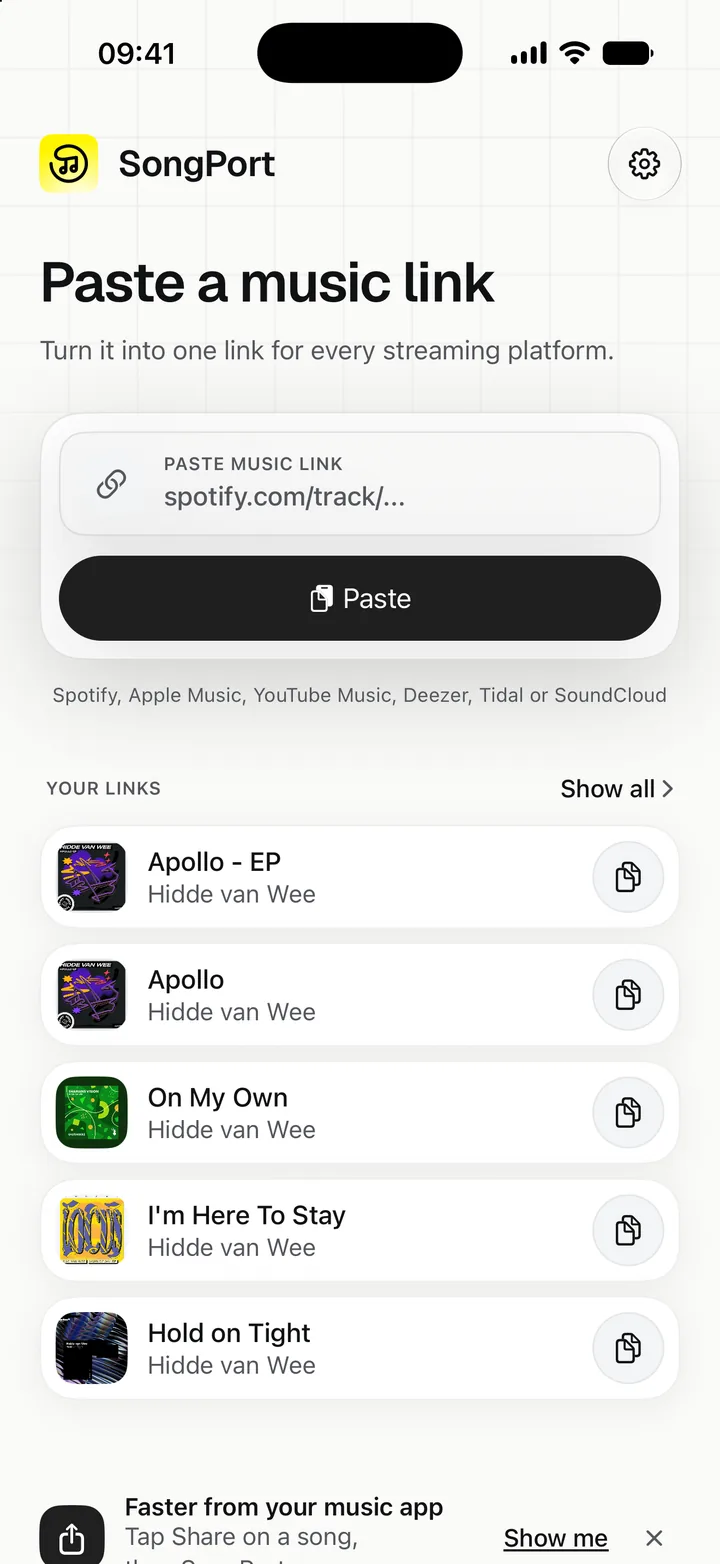
Your links
Your links stay on your phone
The app keeps the last 50 links you made, on this iPhone only. Tap one to open it again or copy it. There is no account and nothing to sign in to.
Free, 10 links a day
Each iPhone makes 10 new links a day. When they run out, the app says at what time they are back.
No account
Install the app and share a song. There is nothing to sign up for.
Paste works too
Copied a link somewhere else? Open the app and tap Paste.
Questions
About the app

Put SongPort in your share sheet
Try the beta now, or get one email when the app is in the App Store.
Free. The beta runs on TestFlight, Apple's app for test versions.